View north from Peet's Coffee, El Cerrito, ink & watercolor, 7x5"
At first glance, the corner of San Pablo Avenue and Carlson in El Cerrito is boring, boring, boring: a wide busy avenue with boxy buildings. But when viewed on a lovely summer day from a cafe table outside Peet’s Coffee with pen in hand, it transforms itself into a sketching delight full of fun details and color.
View South down San Pablo Ave. Wells Fargo, El Cerrito, ink & watercolor, 5x7"
Looking the other way down San Pablo, the Wells Fargo Bank building holds little hope for drawing inspiration. But start sketching and it too transforms itself. There are trees of all kinds and colors. A cerulean sky with only a hint of clouds, a pink apartment building and a gold dentist office. Sun, shadows, banners.
Not boring! I don’t think I’ve ever felt bored when I was sketching. Years ago a friend told me that when I was sketching I looked like I was roller-skating. Whee! Let’s skate!
Memories! Everyone I know is losing theirs including me. Ater repeatedly walking into a room and then forgetting why I’d gone in there, it occurred to me that if I carried clues with me, I’d save lots of time and extra steps.
So I invented the “Get a Clue Necklace” complete with a key ring, a tiny flashlight, sticky notes to jot down reminders, an attractive small pen to write them with, a magnifying glass for small print, an optional “My name is…” tag with a reverse side note “If found return to…” should I ever get REALLY forgetful, and a little pill box for those vitamins I always forget to take.
Below is the full page which you can click to see bigger to read some of the funny quotes about aging, as well as my list of the pros and cons of aging back when I made this.
Get a Clue Necklace; Mixed Media, 12x9" (click to enlarge)
Here are a few of the choice quotes from the piece:
I’m at the age when remembering something right away is as good as an orgasm.
Whenever I meet a woman over 55 who’s just fallen in love, I always ask, “Are you taking hormones?” I tell her, “If it turns out you’re in love in a way that’s not good for you, stop taking them.”
[Addendum: Gloria Steinem, the feminist icon who once dismissed marriage as an institution that destroys relationships, became a first-time bride at the age of 66, a few years after that quote was printed.]
Peg Bracken, 81 at the time this quote was printed, said:
“These are your declining years and you can jolly well decline to do what you don’t feel like doing!”
Right on Peg, wherever you are now!
P.S. When I saw Illustration Friday’s prompt this week was “Memories” I had to share this, even though it’s from my journal several years ago.
And one more Pro to add to the Pros and Cons of aging is that when your memory goes, everything old becomes new again. Stories and jokes you’ve heard (or told) before sound vaguely familiar but since you can’t remember the punchlines, they’re good for a whole new round of laughter.
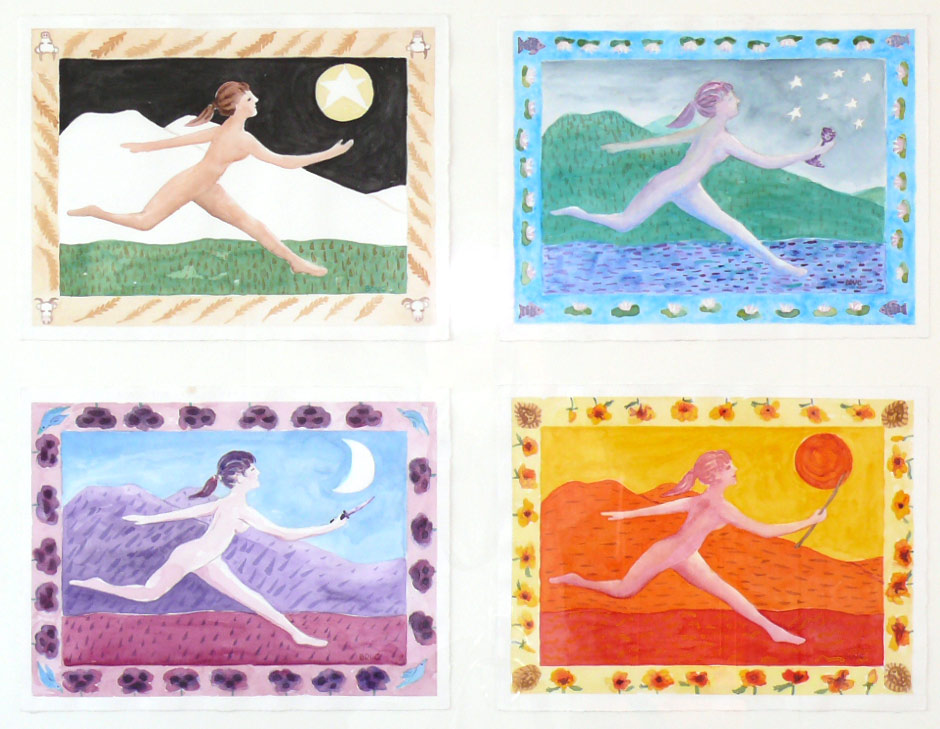
This week’s Illustration Friday challenge is “Leap” in honor of leap year, this February 29, 2008. But the paintings and sketches in this post were actually made twenty years ago. They were inspired by two dreams recorded in a 1988 dream sketchbook (below) and a class in color theory I was taking at the time, based on Joseph Albers work. The images include references to the seasons; times of day/night; the elements of water, fire, earth, and air; and tarot symbols.
The dreams that night were showing me a choice I needed to make in my life. Then as now I was fascinated by computers/technology and art (a perfect combination for an art blogger, no?). But my dreams pointed out how the time and energy I was spending on the computer tied me in knots and stole from my creativity.
Here is the image from the first dream that night: A computer tech “boiler room” full of electronics, miles of wires, computers, monitors, and icky nerds frantically, obsessively, working non-stop at their computers with no time to even look up. It was a nightmare really…full of tension.
In the next dream I left that scene and I was running free in a field and it felt really good.
And then, from a quote I’d heard somewhere, this image and words.
When I awoke I knew I had to make the choice for life, freedom, and art, and quit spending so much time at my computer.
I guess like anything else in life, it comes down to a matter of finding balance and making choices about what’s really important. If I remember to ask myself whether I’ll feel happier at the end of the day if I’ve spent my time drawing/painting or working on the computer, I usually know which to choose (Art!).
As you get closer to the horizon you get smaller and smaller until….
You fall off the edge and disappear…
And that’s why it’s called the “vanishing point.”
This week’s Illustration Friday challenge is the word “Theory.” Since I’ve been re-learning perspective and reading about the progression of artists’ attempts to create the illusion of depth and space, I thought I’d propose my own history of what the earliest thoughts about perspective might have been.
My continuing exploration of perspective has led to me making a fool of myself as I walk around, closing one eye and putting my hands up to match the angles on buildings and trees as I look for vanishing points and check how angles and lines relate to one another.
I tried to demonstrate to some co-workers as we went out foraging for lunch how the horizon is relative to the individual viewing it, not a fixed location. Nobody was going for it though, either trying to prove me wrong or having more important things to think about, like whether they were in the mood for soup or salad.
Here’s what my favorite book (so far) on perspective says about the horizon:
Eye level rises and falls with the level of your eye, wheher you are down near the floor, sitting, standing, in a tall building, or in an airplane. The eye-level plane extends an infinite distance in all directions and at a remote distance coincides with the horizon, which the eye level is often called.
I can’t really explain why this concept so intrigues me, but I just can’t get over it. I loved the way Brittney Gilbert, writer of CBS5.com’s blog “Eye on Blogs,” titled her link to my recent post: “The Horizon is You-Dependent.”
It just makes me wonder what other facts of life that I’ve taken for granted are only perceptual, not actual. Is reality completely subjective?
Ink and watercolor in 5.5″ square dream sketchbook (Larger)
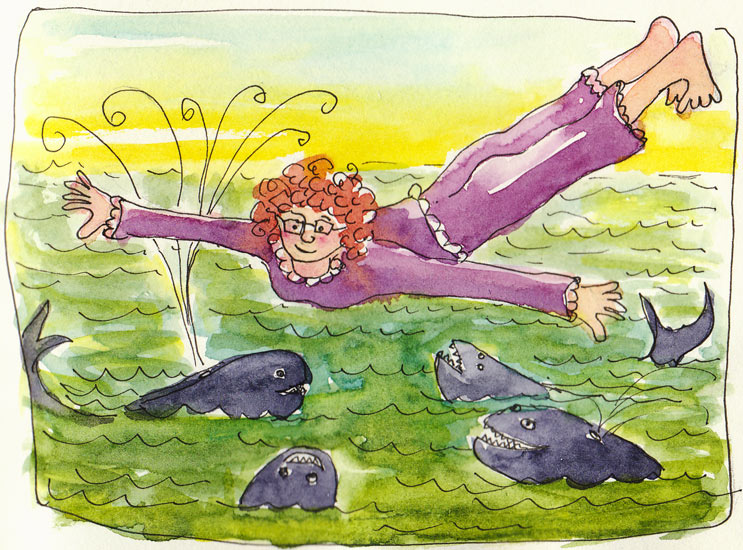
I love my flying dreams. In this one I was flying over the ocean and saw some whales frolicking below. I flew down and was playing with them when one bit my arm hard. I knew he meant no harm though, so once he let my arm go, I stayed and played with them some more.
The next dream wasn’t as much fun. I went into San Francisco to visit my boss (unbeknownst to her), planning to phone when I got there. But my cell phone had no reception and then I dropped it and it fell apart right over a sewer grate. I finally retrieved all the pieces and then a block away, drop it again over another sewer grate.
Then I realize I’ve forgotten my shoes and am barefoot and it’s dark and cold and I’m in a bad neighborhood. But I remember I love to run barefoot in the dark (huh?!!!) . So I run up and down the hills of San Francisco, trying to find my way to downtown Hollywood where I can catch a bus home. It goes on and on, but the rest of the story is likely to amuse only me so I’ll stop there.
I woke up with the idea that I needed to replace my cellphone and then wasted the morning researching the latest phones until I remembered that my phone hadn’t really fallen and broken and does still get reception and that I had no excuse for considering buying an iPhone, no matter how cute they are.
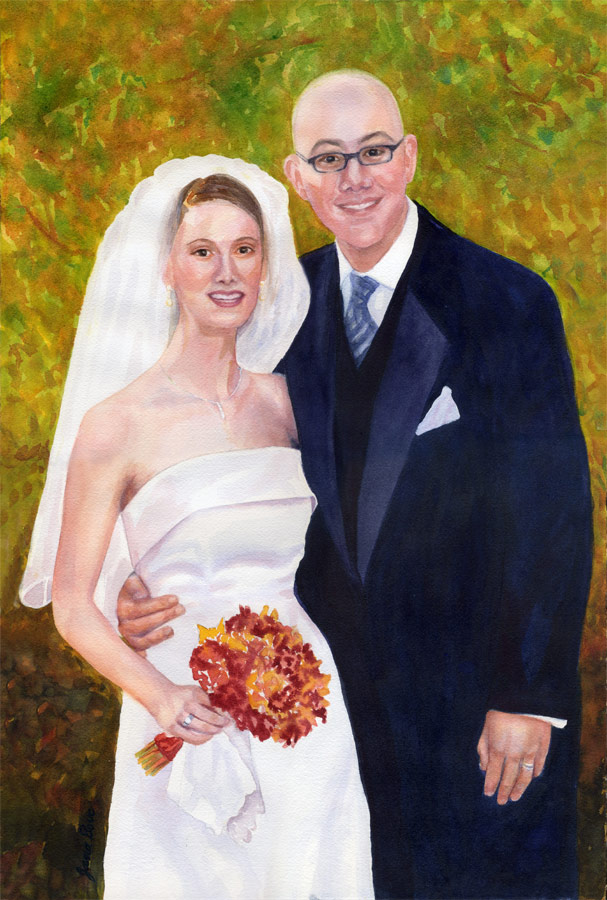
Watercolor, 22″ x 15″ Larger Illustration Friday’s topic this week is Wedding. Usually when I participate in IF I create something new. I love the creative process of coming up with a concept for an illustration that is fresh, unique, and not the first thing anyone would think of (e.g. Paris = Eiffel Tower = trite). The second fun part is imagining and visualizing the image and then bringing it to life with pen and paint.
But this week I couldn’t resist posting this wedding portrait I did a couple years ago for my friends Matt and Margot, especially since this month is their anniversary and they’re expecting their first child in less than a month. Congratulations M&M!
Sketched on paper, traced manually in Painter and then automatically in Illustrator, colored in Painter, converted to Photoshop and “saved for web”. Click here to see larger.
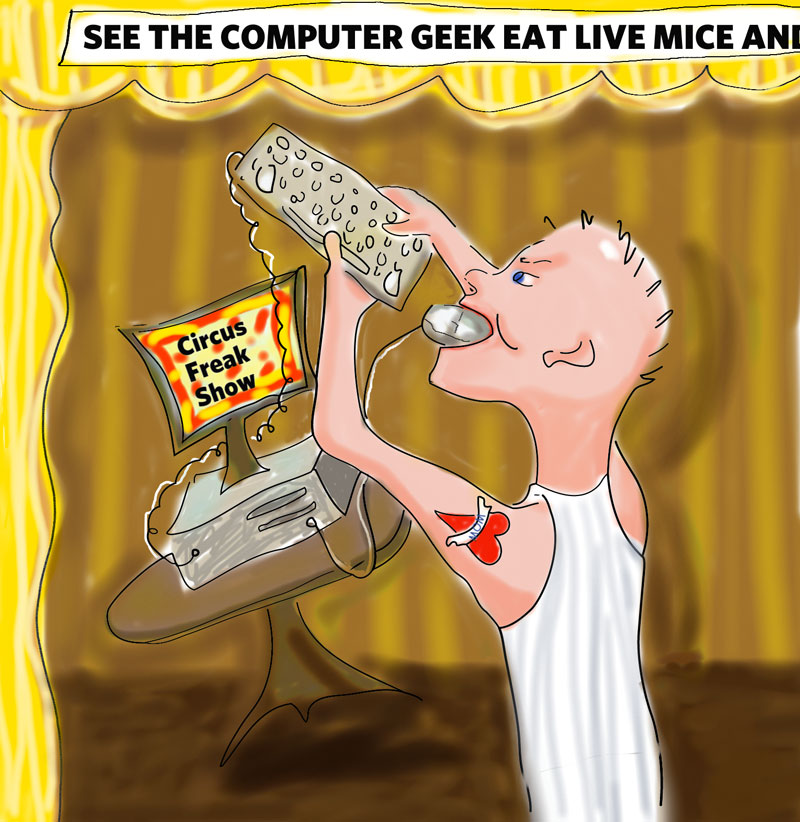
This weeks Illustration Friday challenge is “Geeky.” The original definition of a geek is someone from a circus or carnival freak show who ate live animals such as mice, including biting the heads off live chickens. How the word Geek came to mean someone who is into computers and nerdy, I don’t know. I guess it’s the social outsider thing. So I just took it a step further and made it a freak show guy who eats computer mice and other computer parts. I made myself stop playing with this illustration so that I’d still have time to do some real painting today, so it’s not as clean as I’d like it to be.
I’m a bit of a computer geek myself, and have recently been studying color management theory and practice between devices and software programs. It’s really complicated. This time I was able to embed my monitor and color profile in Painter so that when I converted it to Photoshop they had fairly similar color.
Refrigerator Update
For someone who prides herself on being a techno-geek, I definitely don’t have it when comes to large appliances. It turns out that whole disaster with my fridge was caused by the dial in the freezer (which I didn’t even realized existed) being turned to OFF. I don’t know how it got turned off, but that’s all that was wrong. The skinny, weasel-faced jerk of a repairman tried to charge me $98 instead of the $65 I was quoted over the phone for a diagnosis, claiming he had to charge for his (5 minutes of “labor” too).
I told him the guy on the phone said there’d be an estimate before any labor was charged and he said, oh yeah, they always tell you that. But I have to charge for my time starting with when I walk in the door.” I called Sears back and the guy on the phone confirmed I was right so I asked him to talk to the repairman. They chatted for a bit, the repairman said “OK” and handed me the phone, which I hung up. He said, “No, you were supposed to talk to him–he was going to tell you to pay the $98 and take it up with Customer Service later.”
I thought for a moment and said, “I’ll tell you what, I’ll give you the $65 I was quoted and YOU take it up with Customer Service” and crossed my arms and stared him down. He realized there was no point arguing any further and gave me a “discount” back to the original quoted price and left. Sheesh! What a scam!
Here’s the original sketch on a decorative notepad.
Drawn with pencil, scanned, redrawn and digitally painted in Painter
Apparently I’m suffering from an artist’s form of writer’s block–instead of working with oils or acrylics like I planned to today, I procrastinated by making this crappy illustration instead. I’m feeling sad and annoyed with myself that I spent my painting time today drawing on the computer. At first it was fun. I had another idea for Illustration Friday’s challenge of “Twist” this week that I had quickly scribbled in a little notebook. I intended to only spend an hour on the computer with it.
Skip the next two paragraphs if you’re not interested in boring technical stuff of what went wrong.
When I experiment with digital art I always try to learn something new. So today I tried starting with colored “paper” in Painter. Unfortunately, I discovered to late that it would prevent me from working in my usual way: preserving the line drawing as the bottom layer and adding color using the digital airbrush on new layers using “Multiply” as the layer type. The paper color showed through so I ended up working directly on the main layer, which kept erasing the lines. The colors were icky. I redid the colors a bunch of times, then redrew all the lines. Then messed some more with the colors.
I knew it was a losing proposition but I’d already invested a couple hours trying to fix things. Finally it was good enough and I imported it into Photoshop and all the colors turned way too bright. I guess Painter didn’t use the monitor/system calibration I did yesterday. So then I had to tweak it in Photoshop, making things less intense. But when I used the “save for web” command in Photoshop the colors got all too bright again. So then I experimented some more in Photoshop and learned how to use the “Replace Color” command. I’d always wondered how it worked and it’s really cool. But I could have learned that reading the manual, not spending my precious Sunday fixing a stupid drawing.
I’ve been unfocused all week, having finished all my work in progress and needing to start some new paintings–always a difficult time for me if I don’t have a burning inspiration. Clearly I need to stay away from the computer for a while and get some paintings started so I have some in progress. The problem is I have several ideas and couldn’t decide which to start. So tomorrow I’m going to start three of them, as soon as I get up in the morning and then I’ll feel much happier, I’m sure. I’m going to make the most of my last 3 days of vacation!
Watercolor in Moleskine large watercolor sketchbook
This week’s Illustration Friday challenge is “Twist” — there’s nothing like a nice twist of lemon in a glass of ice water (or in something more exciting, like a lemon drop martini, which I’m sure sounds better than it tastes, since I’m not a fan of martinis). And last week’s Everyday Matters challenge was to draw something yellow…so there you go.
I did this watercolor sketch yesterday but when I scanned it, my monitor display was driving me crazy. No matter what I did in Photoshop I couldn’t get an image that looked anything like the original. I tried again and again to calibrate my monitor using Adobe Gamma but just couldn’t get it right. I finally gave up around midnight, vowing to resolve the problem today one way or another.
Today I went to a great photography store in Berkeley, Looking Glass Photo. They rent and sell everything you need for digital or film photography and they’re staffed by experts who are generous with their knowledge. Initially I was going to rent a fancy set of calibration tools but a handsome, Buddha-like man named Paul (a customer who used to work there) steered me towards buying a simpler unit for not much more money than it would have cost to rent the unnecessarily fancy tools for just one day. I bought the Gretagmacbeth Eye-One Display 2 which looks like a small regular computer mouse.
I waited until it got dark out, turned on my full spectrum overhead lights only and then hung the little device over my monitor. I tried the automatic calibration which was OK, and then I tried the more detailed program, which I think did a better job. When it finished, I scanned my little lemon twist and amazingly it appeared on my screen just like the original. I have no idea how it will look on your screen, but at last, after all the changes in my studio, my monitor, scanner and printer are all working together again. Whoopee! Now I can get back to painting instead of messing with computer stuff!
P.S. If this looks washed out or too bright on your monitor, please let me know.
The Illustration Friday challenge “suit” really didn’t grab me until I remember it was my birthday this month…
(above) I scribbled the idea for this on a handy notepad with pencil at midnight while I was waiting for my neighbor’s party to end so I could get some sleep. Then I inked over the outline today and followed the steps below to get to the finished picture. The color in the picture above comes printed on the notepad.
Techie notes:
I outlined the sketch in ink and scanned into Photoshop, using Levels to erase the background (paper had designs on it) and improve the contrast. Then I opened it in Illustrator and used “Trace” command to get clean outlines. I imported that into Painter, doing some more drawing and then creating layers defined as “Multiply” to paint it without losing the outlines. I mostly used the digital airbrush. Then I opened it in Photoshop to use the handy “Save for Web” option (Phew!) It took about 2 hours total.
This is my first project on my new electric sit-stand desk/computer workstation. It was a massive project requiring lots of computer and furniture wrangling in my studio to get it all set up and functional and some really late hours. That’s why I haven’t posted the past few days. Tomorrow I’ll post some pics of my new desk and write about the project, my ridiculous goof-ups, the fixes and the complicated but very groovy computer setup that my friend Richard, tech consultant extraordinaire, helped me plan and assemble.


 Jana Bouc, Artist